AltarViewer
Launch Omniboard and visualize your Sacred experiments in the browser.
A Dash web app to browse Sacred experiments, filter by configuration, view metrics, and export datasets as CSV or explore in Pygwalker.
Enter credentials or a MongoDB URI. Supports authentication and multiple databases.
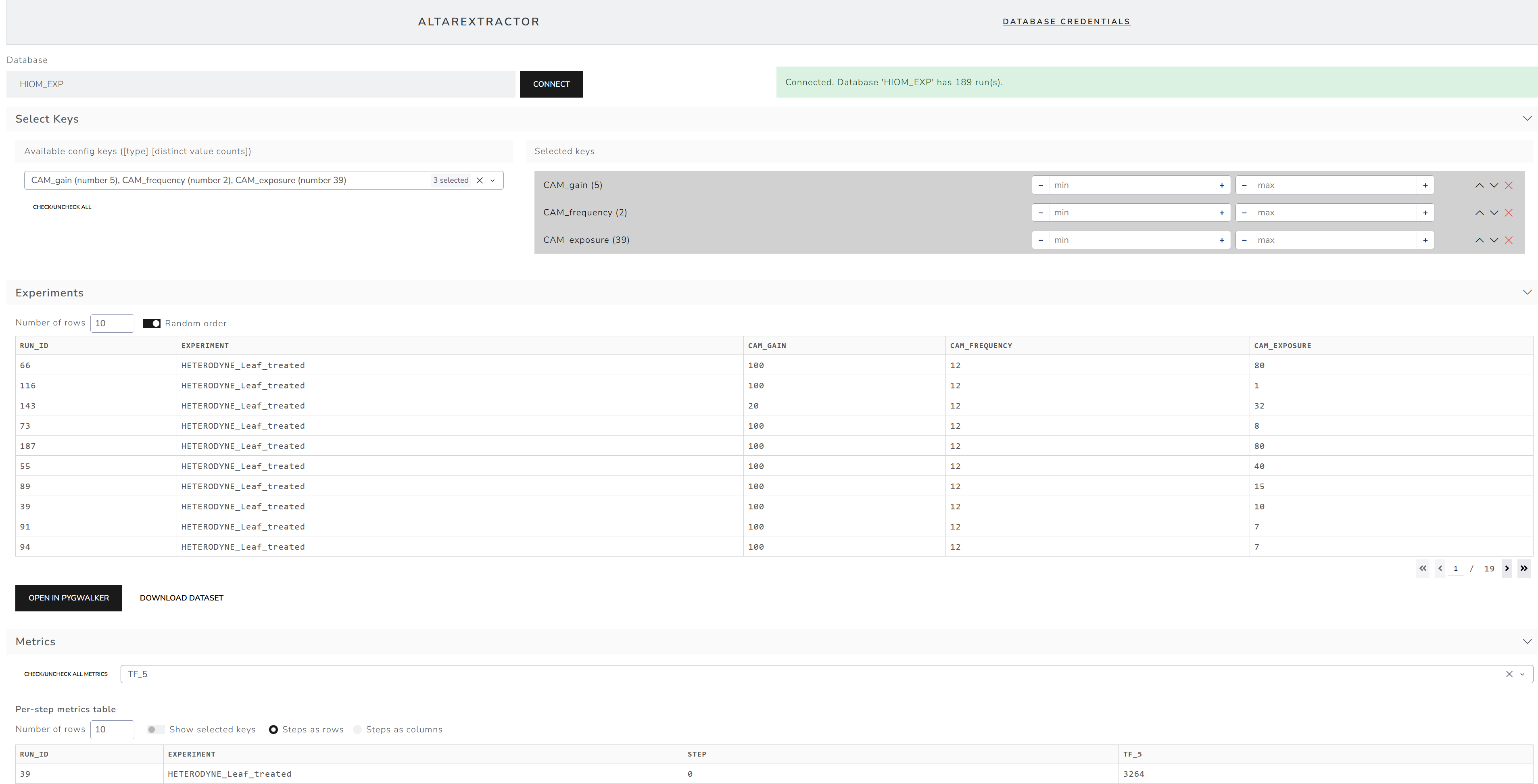
Select config keys, filter by boolean, number ranges, or string values.
Select metrics to see per-step data. Toggle between rows and columns layout.
Download filtered experiments or metrics data as CSV files.
Open datasets in Pygwalker for interactive data exploration and visualization.
Store connection settings in browser localStorage for quick reconnection.
cd AltarExtractor
python -m venv .venv
.venv\Scripts\activate  # Windows
# source .venv/bin/activate  # Linux/macOS
pip install -r requirements.txt
python app.py
Open http://localhost:8050 in your browser.
cd AltarExtractor
docker-compose up -d --build
Open http://localhost:8050. Connect with your MongoDB instance.
Enter your MongoDB credentials or paste a full URI. Click Connect to start browsing experiments.
Launch Omniboard and visualize your Sacred experiments in the browser.
Map experiment folders and send runs to MongoDB in a Sacred‑compatible format; optional artifacts to MinIO.
A Dash web app to browse Sacred experiments stored in MongoDB. Features a clean Bootstrap UI, saved credentials, config filtering, metrics visualization, and CSV export.
Create and activate a virtual environment:
Windows (PowerShell):
python -m venv .venv
.\.venv\Scripts\Activate.ps1
macOS/Linux:
python3 -m venv .venv
source .venv/bin/activate
Install dependencies:
pip install -r requirements.txt
python main.py
Open your browser to http://127.0.0.1:8050/
You can either:
mongodb+srv://user:pass@cluster/yourdb?authSource=admin), orSpecify the database name (defaults to sacred) and click Connect.
AltarExtractor is integrated into the AltarDocker stack and can be deployed alongside MongoDB and Omniboard.
cd ../AltarDocker
docker compose --profile extractor up -d
Access at http://localhost:8050
When running inside AltarDocker, use these connection settings:
mongo (Docker service name)27017MONGO_ROOT_USERMONGO_ROOT_PASSWORDadminSee AltarDocker/DEPLOY.md for full deployment instructions.
docker-compose up -d --build
Access the app at http://localhost:8050
docker-compose down
⚠️ Docker Networking Note:
If AltarExtractor and MongoDB are running in the same Docker network (e.g., via docker-compose), use the MongoDB container/service name (e.g.,mongo) instead oflocalhostas the host.
localhostinside a container refers to the container itself, not the host machine or other containers.
docker build -t altar-extractor .
docker run -d -p 8050:8050 --name altar-extractor altar-extractor
Access at http://localhost:8050
docker stop altar-extractor
docker rm altar-extractor
| Variable | Description | Default |
|---|---|---|
PORT |
Port the app listens on | 8050 |
SACRED_DB_NAME |
Default database name | sacred |
Example:
docker run -d -p 8050:8050 -e SACRED_DB_NAME=my_db altar-extractor
Or in docker-compose.yml:
environment:
  - SACRED_DB_NAME=my_sacred_db
If your Sacred data uses a different structure than the standard runs collection with experiment.name, update the query logic in altar_extractor/services/mongo.py (see fetch_sacred_experiment_names function).